Microsoft TeamsFREE
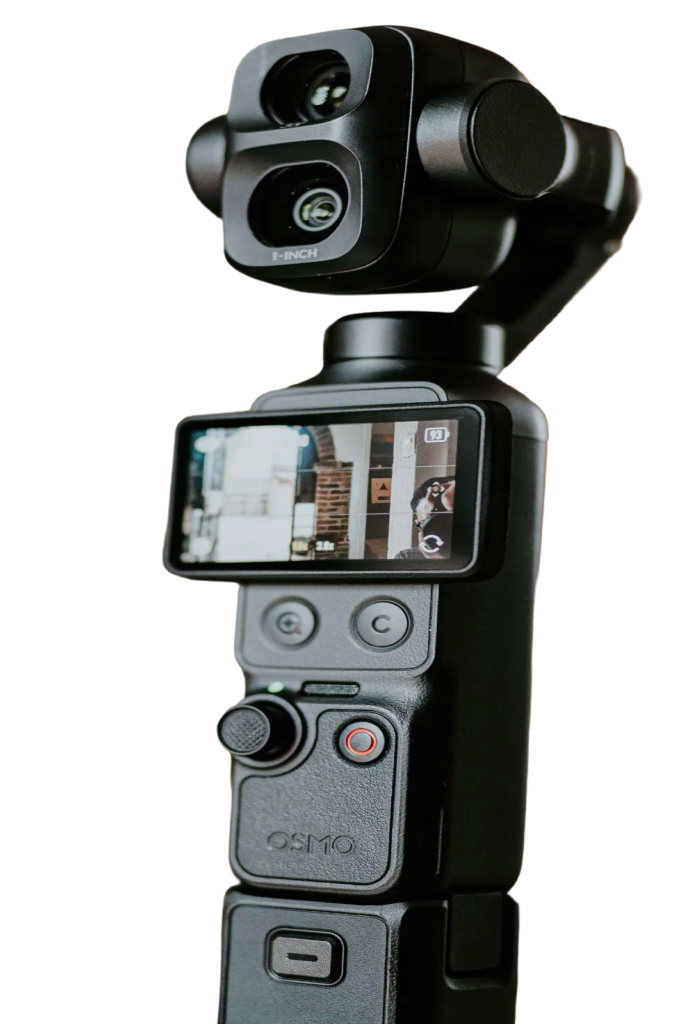
Join Teams meetings with a camera you can actually point. Choose the Pocket as your camera in Microsoft Teams, then use Pocket+ to aim the gimbal, zoom in or let face tracking follow you while you present.
Set it up
- Connect the Pocket over USB-C and choose Webcam on the camera.
- In Teams, open Settings › Devices and pick the Pocket (for example OsmoPocket3) as the camera. Pick its microphone too if you want the camera's sound.
- Open Pocket+ next to the meeting. Both use the camera at the same time.
What shows up in Teams
Teams gets the camera's own picture and sound. Everything that physically moves the camera reaches it: joystick moves, face tracking, auto framing, scenes and the camera's zoom. Things Pocket+ does in software stay in Pocket+: LUTs, lens correction, guides and the cropped vertical picture. Colors can also look a little paler than in the Pocket+ preview.
Good to know
- Pocket+ isn't a virtual camera. Pick the Pocket itself in Teams, not Pocket+.
- The camera sends one format at a time. If Teams asks for 1080p, Pocket+ gets 1080p too.
- Shortcuts like ⌘T or ⌥1 work while Pocket+ is the active app. Keep its window visible next to Teams; it stays on top by default.
Using the Pocket in Teams doesn't need Pro. Each Pocket+ feature keeps its own Free or Pro status.