Free
$0- Live preview, photos & 1080p recording
- Gimbal control, center & flip
- Zoom controls & shortcuts
- Smart face tracking
- Grid & horizon guides
- DJI Mic, audio, battery & storage monitoring
Everything people ask about Pocket+ and the DJI Osmo Pocket on a Mac.
Cameras & compatibility
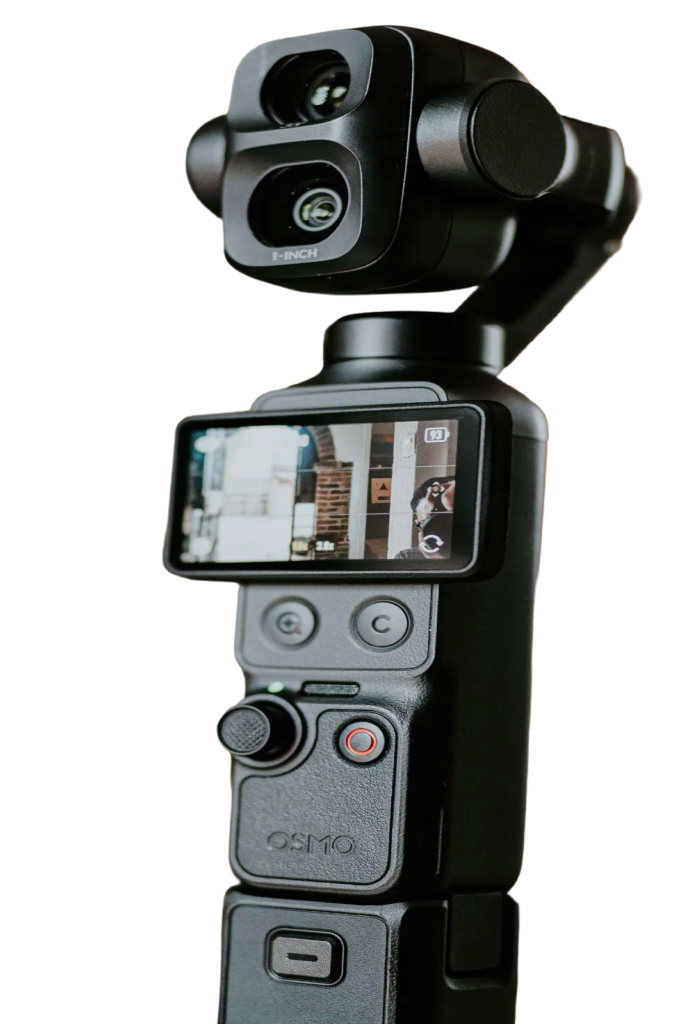
Pocket+ works with the DJI Osmo Pocket 2, 3, 4 and 4P, connected over USB-C in Webcam mode. It's developed and tested mostly on the Pocket 3. You need macOS 14 Sonoma or later, on Apple Silicon or Intel.
Yes. Connect it over USB-C in Webcam mode and open Pocket+. You get a live view with gimbal, zoom and face tracking, and you can record to your Mac.
No. DJI Mimo is DJI's phone app, and there's no Mac version of it. Pocket+ is an independent Mac app that gives you a live view, gimbal and zoom control over USB-C, and recording to your Mac. Keep Mimo on your phone for firmware updates.
No. Pocket+ is an independent project and is not affiliated with, endorsed by or sponsored by DJI.
Those are the modes the camera offers over USB in Webcam mode. 4K60 and 1080p60 aren't available over USB.
Not yet. Pocket+ works over a USB-C cable.
Install & permissions
Yes. Pocket+ is signed with an Apple Developer ID and notarized by Apple, so macOS opens it without a security warning. The app makes no network calls except update checks and license checks.
Camera and microphone are for the picture and sound. Bluetooth reads the camera's battery, USB state and record button. Nothing leaves your Mac.
Pocket+ checks for a new version once a day. When there is one, click Install and relaunch. You can turn the check off in Settings › Updates.
Make sure the camera is in Webcam mode: when you plug it in, the camera asks which USB mode to use. Then click the reconnect button at the top right of the app. If there's still nothing, unplug the cable and plug it in again.
Gimbal & face tracking
The camera's own ActiveTrack is on. Turn it off on the camera and tracking in the app will stay on.
No. Pocket+ finds faces on your Mac and steers the gimbal itself. It is off when the app opens; switch it on with the button below the joystick or with ⌘T. It's free.
One tap and Pocket+ centers everyone in view and zooms to fit them, then stops. Auto frame is a Pro feature.
Yes. Scenes save up to 9 positions you can recall with one click or ⌥1 to ⌥9. Pro also brings the gimbal back to its last position when you open the app. Both are Pro features.
With the on-screen joystick, the arrow keys and shortcuts. Pro adds dragging the picture to steer and scrolling to zoom.
Recording & audio
Into your Movies folder. You can pick another folder in Settings › Output folder.
4K is a Pro feature. The free version records up to 1080p. You can choose H.264 or HEVC in Settings.
Yes. A DJI Mic paired with the camera shows up as "DJI Mic". A DJI Mic receiver plugged into the Mac is picked automatically. You can also choose any Mac microphone from the mic menu.
Your choice. The "Apply LUT to recordings" switch in the LUT menu decides it: off means the LUT is only for your preview. LUTs are a Pro feature.
Pro & license
Yes. Recording up to 1080p, photos, the joystick, zoom and face tracking are free. Pro is a one-time $9.99, with no subscription, and adds 4K, LUTs, scenes, auto frame and more.
Buy Pro on Gumroad and you'll get a license key by email. Paste it into Settings › Pro. Each seat activates Pro on one Mac, so for more Macs pick more seats at checkout: the same key then works on all of them.
Other apps
Yes. Pocket+ controls the gimbal and zoom while OBS, Google Meet or a WhatsApp video call uses the camera, so you can steer it live. Those apps read the camera directly, so LUTs and lens correction only show inside Pocket+. A virtual camera is planned but not available yet.
No subscription and no account. Pro is a license key you paste into Settings.
Each seat activates Pro on one Mac. Need more Macs? Pick more seats at checkout.
Take full control of your DJI Pocket from your Mac. Download for free and start creating in minutes.